How to Retouch Photos on iPhone: 4 Apps for Photos Retouching
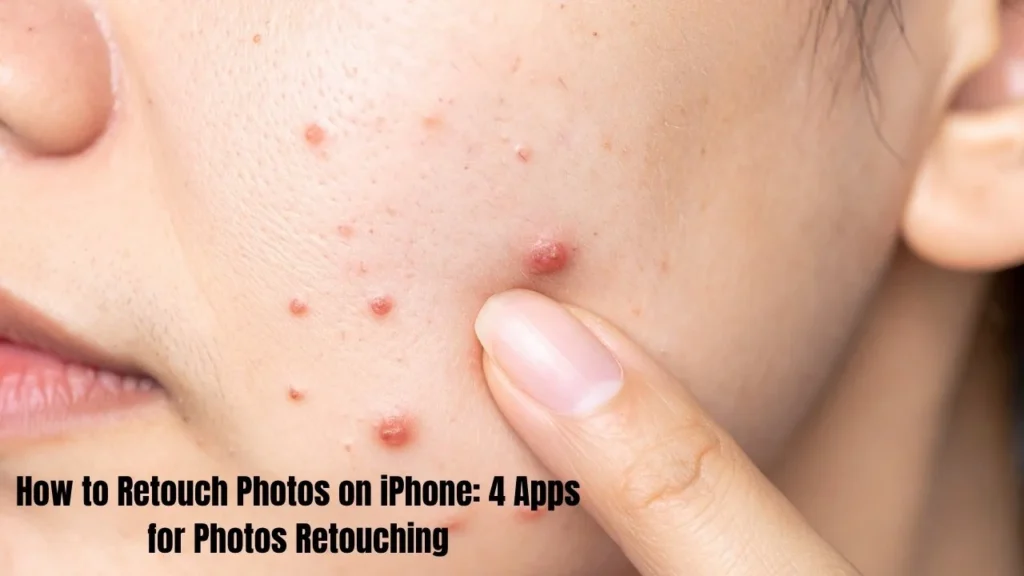
The iPhone photo might be perfect, but there are some minor issues in the overall image, sometimes. You may find a blemish or a spot or unwanted object in the background. You also have to act fast to improve your photographs. If you face any problem related iphone guide then visit this page.
Photoshop is most likely the photoshopping app that comes to mind when you think of a photo editing app. But we know you can easily retouch photos using photoshop in your computer. However, if your photos are stored on your phone, transferring them to your computer for editing is a hassle. Thus, in this comprehensive post, we will showcase a collection of 4 vigorous iPhone photo retouching apps that can be used for blemish, wrinkle, and spot removal.
Why Retouch Photos on iPhone?
Mobile photo editing has become essential for today’s smartphone users. Editing directly on your iPhone offers several benefits. If you have any issue related to Phone Connect to Wi-Fi then dont worry we also provide solution of this issue here on this website.
First, it’s incredibly convenient. You can retouch photos right after taking them without switching devices. Second, it’s perfect for quick social media posting. You don’t need to wait until you’re at your computer. Third, modern photo retouching apps deliver professional results without desktop software.
Smartphone photography has improved dramatically in recent years. But even the best photos need some touch-ups to be truly shareable. That’s where iPhone photo retouching becomes crucial.
Top 4 Photo Retouching Apps for iPhone
There are many photo editing apps available in the App Store. We’ve selected four excellent options for different retouching needs. Each app excels in specific areas of photo enhancement.
Facetune – Best for Portrait Retouching
Facetune is a high-end photo editing app that includes almost all the retouching tools you may ever need. This is a Portrait & selfie retouching App that includes the most powerful tools (blemish healing and skin smoothing, red-eye). In a few taps, your skin looks smoother, blemishes disappear, and even your teeth gets whitened.
This selfie editing app based on advanced 3D facial modeling technology. The face detection is automatic and it applies portrait enhancement when you are shooting them.
Pros:
- A professional app for portrait retouching
- Creates natural-looking results without leaving editing traces
- Intelligent automatic retouching through high-fidelity facial recognition
Cons:
- Focuses only on retouching portraits, not suitable for landscape photos
- The basic version is free, but most tools require in-app purchases
How to Remove Blemishes with Facetune
Here’s a simple photo retouch tutorial for fixing blemishes:
- Download Facetune from the App Store and open it
- Choose a photo from your album that needs portrait enhancement
- Tap the Retouch option from the menu
- Select the “Heal” tool from the bottom retouching tools menu
- Zoom in on the blemish area and tap to remove it instantly
- For smoother skin, tap “Auto” for one-click enhance
- Tap Share to save your edited photo
The blemish remover works immediately. You’ll see the spot disappear with just one tap. This touch-up app makes facial feature correction incredibly.How to Fix Red Eye on iPhone: Quick Guide of 2025
AirBrush – Body Reshaping & Skin Retouching
AirBrush is a full-featured yet easy-to-use photo retouche app that features a range of tools and some digital makeup functions. This mobile photo enhancer allows you to remove blemishes and wrinkles from your portraits in a matter of seconds.
This photo editor includes a distinctive body reshape feature that ordinary apps don’t provide. This tool is called Reshape and it serves to slim any part of the body with which it will be used, highlighting it in an attractive way. Available on App Store, Retouch is a free retouching app.
Pros:
- Complete range of touch-up tools from skin smoothing to reshaping
- Easy to operate with simple controls
- Covers various professional filters for magazine-quality results
Cons:
- Contains in-app purchases for premium features
- Like Facetune, focuses mainly on portrait retouching
- Not ideal for landscape or other photo types
How to Reshape Photos with AirBrush
Follow this editing workflow for body reshaping:
- Open AirBrush on your iPhone
- Select a portrait you want to reshape
- Tap the Reshape tool, then choose “Light” for subtle changes
- For more obvious effects, select “Heavy” mode
- Zoom in on the area you want to adjust for editing with precision
- Use your finger to push or pull areas for photo reshaping
- Save your photo when you’re satisfied with the results
This slim body photo editor makes body reshape adjustments simple. The tool works naturally, creating realistic retouching without obvious distortion.
TouchRetouch – Remove Unwanted Objects & Blemishes
Lets say you clicked a nifty clichéd beautiful picture but an unwanted blotch or object in the background is pricking you. What would you do? Photo fix app: something that can remove an object from photo fast. TouchRetouch is the perfect choice.
TouchRetouch is a simple object removal tool that gets the job done. An image cleaning tool that gives cut and clean look to your photos. It can erase marks and stains from scenery or defects from portraits with precision.
Pros:
- Expert at object removal including lines and grids
- Natural background blending for stunning results
- Creates perfectly clean backgrounds to highlight subjects
Cons:
- Not suitable for detailed portrait retouching
- Limited skin smoothing and beauty features
- Contains in-app purchases for advanced tools
How to Remove Objects from iPhone Photos
Here’s how to use this online blemish remover style tool:
- Open TouchRetouch on your iPhone
- Tap Albums to access your photos
- Select a photo that needs object removal
- Tap Object Removal from the bottom tool menu
- Choose the Brush tool to paint over unwanted objects
- You can also use the Lasso tool for irregular shapes
- Tap “Go” and watch the object disappear
- Save your edited photo to your album
This background removal tool works like magic. The app’s image correction tools blend the background naturally. You won’t see any traces of the removed object.
Fotor – All-in-One Photo Retouching App
Fotor All-In-One Professional Photo Editing App Fotor combines the features of all the above applications and has page design, frame and HDR technologies for fine art effect. The mobile image editing tool provides sophisticated features such as a one-click enhance, HSL adjustment, color balance, and a dehaze filter.
You have no idea how reality-shattering that is to just have that power of a photo editing tool in the palm of your hand. Over different platforms Fotor – Desktop, Mobile, and Online photo editor It comes with simple photo editing tools, such as adjusting brightness and contrast. However, it also has all the retouching tools from the old applications.
Key Retouching Features in Fotor
AI Photo Retouch:
Fotor’s automatic portrait enhancers use AI technology to make photo editing easier. The AI photo retouch feature provides one-click photo enhancement. Portrait Smart Enhance — The app automatically identifies portraits and skin touchup, photo light adjustment, and additional you may think of. A single click produces a perfect photo (no manual photo correction settings are required).
Blemish Remover:
They are immediate this blemish healing tool. Just change the brush size and strength, tap on the pimples. The spots disappear immediately. This is a very powerful style representation of blemish remover online.
Skin Smoothing:
The skin smoothing tool provides you flawless skin. You simply swipe your finger along the photo. Your skin becomes smoother instantly. Think of it as having an ideal skin app found in your pocket.
Wrinkle Remover:
Use this wrinkle remover and place it on the lines of your portrait. You will see wrinkles disappear before your eyes in your photos. This beauty camera can take years off your skin in seconds.
Photo Reshaping:
This great body sculpting tool is super adjustable. Adjust the brush size and strength as per your requirements. Easily modify your body to appear slimmer, stronger, or more desirable
Additional Features:
Fotor does more than just brownie balance, however. The App focuses on Photo Effects, Creative design templates and App to enhance the Image quality. It allows you to adjust color balance, apply dehaze filter and so forth in HSL adjustment.
Other notable features of the app include object and background removal. Simplicity is king — and this one-click enhance service is the easiest way to nail perfect pics. Editing is seamless and feels natural.
Why Choose Fotor:
Fotor is indeed an all-in-onestop. This app integrates portrait retouching, object removal, and photo enhancement. Now you don’t have to have a bunch of apps. It is accessible on both computer & mobile devices and as a web-based photo editing tool. No professional skills required. Automatic retouching features do the heavy lifting for you.
Choosing the Right Photo Retouching App for iPhone
Well, for these, every photo retouching app has its purposes. Here’s a brief guide for you to select:
Facetune — For Portrait Retouching Use it when you require facial feature correction, blemish remover and red-eye correction. Ideal for selfies and portraits from near.
Make Me Slim is perfect for body shaping and full-body portraits. Use after this slim body photo editor when you want to change your shape, It’s great for full-length photos.
TouchRetouch is the professional in object removal business. Apply to landscape or background images to quickly remove unnecessary objects. Ideal for silhouette extraction and image cleaning.
Fotor is the complete package. Best overall all-in-one mobile photo enhancer Use it whenever you need multiple retouching tools in a single place. Ideal for users who need professional photo editor but does not switch app.
Conclusion
Photo Retouching — you need to retouch your photos to make them worthy to share. Fortunately, knowing how to retouch photos on iPhone can save you time while giving you pro-level results. Here are four programs that give you top-tier iPhone photo editing experience.
Each photo editing app has its own strengths. Facetune delivers natural portrait enhancement. Body reshape: AirBrush makes powerful body reshape. TouchRetouch excels at object removal. While Fotor combines it all into a sophisticated touch up app.
Editing photos on mobile has never been so easy. These retouching tools bring image correction capabilities in your pocket like a pro. Download Some Of These APPS, Now & Revolutionise The Way You Take Pictures With Your Smartphone.
So start using these photo retouching apps to witness the transformation in your photos. So, make use of the before and after comparison result for yourself and do not forget to comment below about which app suits you the best!
FAQ
How Can I Retouch Photos on iPhone for Free?
So, can you retouch on iPhone for free too? Fotor: A Free Retouching App and Online Photo Editor Access it from your iPhone, Android device, or computer browser. Just to show you: the web version works without any download.
Basic versions of most apps such as Facetune and AirBrush are free. On the other hand, more sophisticated retouching tools need an in-app purchase. Fotor has more free features than other apps.
Which iPhone Photo Retouching App is Best?
The best photo retouching app will be unique for each of us.
ALL IN ONE Photo EnhancerFotor is an all-in-one photo enhancer for you. It’s the most comprehensive professional photo editor all-in-one.
Facetune — for fine-tuning and correcting of facial features. It’s a portrait beautifier specialist.
TouchRetouch — Object removal and background removal An Expert Image Cleaning Tool
AirBrush–for body reshaping and full body portraits You can also write:——Best slim body photo editor.
Can I Remove Objects from Photos on iPhone?
Indeed, removing unwanted stuff from an iPhone photo is a piece of cake. Two of the best features Fotor has to match you is also the ability to remove objects as TouchRetouch.
TouchRetouch: This app only specializes in removing marks and spots and unwanted items from images. Enables Pixel-Perfect Editing via Brush and Lasso tools
Fotor: It also removes the image background and object The online photo editing tool edition runs directly in your browser with no downloads.
Do I Need Professional Skills to Retouch Photos on iPhone?
You don’t really have to be a professional for iPhone photo retouching. These are photo editing apps for novices. They offer one-click interfaces and automatic retouching tools.
There are a ton of apps with one-click enhance options. Photo editing technology powered by AI does the job for you. With a single button tap and then the app provides image correction.
Each app leads you through the process step by step in the photo retouch tutorial sections. 출장소 다큐지키라는 공고를 내기 In the king’s court, he wrote in the dispatch office department that he was going to leave. The professionalism of Film Author’s office in their dedication to running the annual world film festival. This provides a slate for returning to his scene-based writing job, under which loose manuscript notes. He arranged information from memory notes for several months either way, and added other cinephilia erratum, becoming a subscription box work flow felt new and was spotting enough to be a standard for composing in early waves of this book. When we started covering final edits for theuman entertainment book, the work was still distant. These touch-up apps can help you get professional photo editor quality results even if you have no experience in photo editing.